
Chatbotlar Musteri Deneyiminde Neden Basarisiz Oldu — Ve Ajanlar Neyi Farkli Yapyor
Musteri destek otomasyonunun ilk nesli — kural tabanli chatbotlar — hizmet operasyonlarinda devrim yaratma sozunu vermisti. Bunun yerine her sirketin web sitesindeki en nefret edilen ozellik haline geldiler. Gartner'in 2024 anketi, musterilerin %64'unun sirketlerin musteri hizmetleri icin chatbot kullanmamasini tercih ettgini ortaya koydu. Otomasyonun dogasi geregi kotu oldugundan degil, chatbotlarin dogasi geregi sinirli olmasindan.
Chatbotlar karar agaclarindan calisir. Anahtar kelimeleri onceden tanimlanmis senaryolara esler ve dallanan mantik izlerler. Bir musteri "Siparsim nerede?" diye sordugunda ve chatbot bunu siparis-durumu akisina eslestirebildiginde calisir. Musteri "Dun teslimat adresini degistirdim ama takip hala eski adresi gosteriyor" diye eklediginde chatbot bozulur. Siparis yonetim sistemine erisip adres degisikligi gecmisini kontrol edip tasiyicinin son taramasini dogrulayip paketin eski mi yeni adrese mi yonlendirildigini belirleyemez. Yalnizca sunu soyleyebilir: "Sizi bir temsilciye aktaracagim."
Bu temel sinirlamadir. Chatbotlar operasyonel yetkinligi olmayan konusma arayuzleridir. Sistemleriniz hakkinda konusabilir ama onlarla etkilesime giremezler. Bilgi goruntuleyebilir ama eylem alamazlar. Senaryolari izleyebilir ama yeni durumlar hakkinda akil yurutemezler.
Yapay zeka ajanlari mimari olarak farklidir. Bir ajan, araclara bagli bir akil yurutme sistemidir. Bir musteri siparisi hakkinda sordugunda, ajan: (1) musteriyi CRM'e karsi dogrular, (2) siparis yonetim sistemini spesifik siparis icin sorgular, (3) adres degisikligi kaydini kontrol eder, (4) guncel yonlendirme durumu icin tasiyici API'sini sorgular, (5) adres degisikliginin sevkten once mi sonra mi uygulandigini belirler ve (6) ya dogru teslimati dogrular ya da tasiyiciyla yeniden yonlendirme baslatir — hepsi 30-90 saniye suren tek bir etkilesim icinde.
Temel farklar sistem erisimi, eylem yurutme ve baglamsal akil yurutmedir. Bir ajan yalnizca sorulari yanitslamaz — sorunlari cozumler. Yalnizca bilgi gosteruntulemez — islemler gerceklestirir. Yalnizca senaryolari izlemez — bir insan temsilcinin basvuracagi ayni bilgi kaynaklarini kullanarak yeni kosu birlesimlerinde akil yurutur.
Otomasyon tavani bu yuzden farklidir. Chatbotlar talep hacminin %15-20'sinde takillir cunku taleplerin yalnizca %15-20'si tek basina senaryolu yanitlarla cozulebilir. Ajanlar %60-80 otomasyona ulasir cunku destek isinin cogunu olusturan cok adimli is akislarini yuruttebilirler. Kalan %20-40 — uc vakalar, duygusal durumlar, karmasik muzakereler — artik bunlari iyi ele almak icin daha fazla zaman ve baglama sahip insan temsilcilerde kalir.
Sonuc sezgisel degildir: daha fazla talebi otomatiklestirmek insan deneyimini de iyilestirir. Insan temsilciler artik tekrarci sifre sifirlamlari ve siparis durumu sorgulamalarindan tukenmez. Daha az talep ele alirlar ama daha ilginc olanlarini, ajanin ilk analizinden tam baglamla ele alirlar. Temsilci memnuniyet puanlari genellikle musteri memnuniyeti iyilestirmeleriyle paralel olarak %15-20 iyilesir.
Adim Adim: Bir Yapay Zeka Ajani Destek Talebini Nasil Ele Alir
Bir ajanin pratikte nasil calistigini gormek icin gercek bir talebi adim adim inceleyelim. Bu, gunluk yaklasik 4.000 destek talebi isleyen bir Avrupa e-ticaret sirketi icin uretim devreye almasina dayanmaktadir.
Talep gelir: Bir musteri e-posta gonderir: "#DE-84291 numarali siparsimde yanlis urun aldim. Mavi yun atki (SKU WS-442-BL) siparis ettim ama kirmizi bir tane aldim. Cumartesi gunu bir hediye icin dogru urune ihtiyacim var. Dogru urunu ekspres gonderebilir ve yanlis urunun iadesini ayarlayabilir misiniz?"
Adim 1: Kabul ve siniflandirma. Ajan e-postayi ayristirir, iki alt gorevli (yedek gonderim ve iade duzenlenmesi) bir siparis hatasi olarak belirler, aciliyeti yuksek olarak siniflandirir (zamana duyarli hediye) ve siniflandirmasina 0,94 guven puani atar.
Adim 2: Musteri dogrulama ve gecmis arama. Ajan siparis numarasini kullanarak CRM'yi sorgular. Elde eder: musteri profili (dogrulanmis e-posta eslesmesi), siparis gecmisi (12 onceki siparis, sadik musteri), #DE-84291 numarali siparis detaylari (26 Ocak'ta verilmis, 27 Ocak'ta sevk edilmis, 29 Ocak'ta teslim edilmis) ve spesifik kalem satiri (SKU WS-442-BL, mavi yun atki, 49,90 EUR).
Adim 3: Siparis karsilama dogrulamasi. Ajan depo yonetim sistemini sorgular. Bulur: #DE-84291 numarali siparisin toplama listesi SKU WS-442-BL'nin toplandini gosterir, ancak paketleme dogrulama kaydi bir tutarsizlik gosterir — paketlemede taranan barkod WS-442-RD (kirmizi) olmustur. Bu, siparis karsilama hatasinin musteri yanlis tanimlamasi degil sirket tarafinda oldugunu dogrular.
Adim 4: Stok ve lojistik kontrolu. Ajan SKU WS-442-BL icin mevcut stoku kontrol eder: Hamburg deposunda 23 birim stokta. Ekspres kargo saglayici API'sini sorgular: musterinin adresine (Munih) ertesi gun teslim, bugun saat 16:00'dan once sevk edilirse 9,90 EUR ek ucretle mumkun (su anki zaman: 10:23).
Adim 5: Eylem yurutme. Ajan, ekspres kargolu SKU WS-442-BL icin bir yedek siparis olusturur (musteriye ucret yok), tasiyici API'si araciligiyla yanlis urun icin iade kargo etiketi olusturur, musterinin hesabina iyi niyet gosterimi olarak 10 EUR magazda kredi uygular (5'ten fazla onceki siparise sahip hesaplarda siparis karsilama hatalari icin ajanin yetkili limiti olan 25 EUR dahilinde) ve CRM'deki talebi eksiksiz eylem kaydiyla gunceller.
Adim 6: Yanit olusturma. Ajan kisisellestirilmis bir yanit hazirlar: hatayi kabul eder, dogru urunun ekspres olarak sevk edildigini (Cuma gunu varacak, Cumartesiden bir gun once) dogrular, iade etiketini ek olarak ekler, magaza kredisinden bahseder ve rahatsizlik icin ozur diler. Ton, sistem promptunda depolanan sirketin marka ses kilavuzlariyla eslesir.
Adim 7: Kalite kontrolu. Ajan kendi yanitini kalite kriterlerine karsi inceler: dogruluk (sistem verilerine karsi dogrulanmis), tamlil (her iki alt gorev ele alinmis), ton (empatik, cozum odakli) ve yetkilendirme (tum eylemler ajan limitleri dahilinde). Guven puani: 0,97. Yanit insan incelemesi olmadan gonderilir.
Talep gelisinden cozumlemeye toplam sure: 34 saniye. Ayni talebi isleyen bir insan temsilci — OMS'ye giris yapma, stok kontrolu, depoyu arama, yedek siparis olusturma, iade etiketi olusturma, e-posta yazma — ortalama 14 dakika surer.
Bu ozenle secilmis bir ornek degildir. Uretimde, siparis karsilama hatasi taleplerinin yaklasik %68'i bu kalibi izler ve tamamen otonom olarak cozumlenir. Kalan %32, ajanin analizinden tam baglamla insan temsilcilere eskalasyonu tetikleyen komplikasyonlar (stok disi, uluslararasi kargo, fotograf gerektiren hasarli urunler) icerir.
Otomasyon Sinirini Tanimlamak: Ajanlar Neyi Ele Almali, Neyi Almamali
Yapay zeka musteri operasyonlarinda en yaygin hata her seyi otomatiklestirmeye calismaktir. Ikinci en yaygin hata cok az otomatiklestirmektir. Siniri dogru belirlemek, basarili devreye almalari pahali deneylerden ayiran seydir.
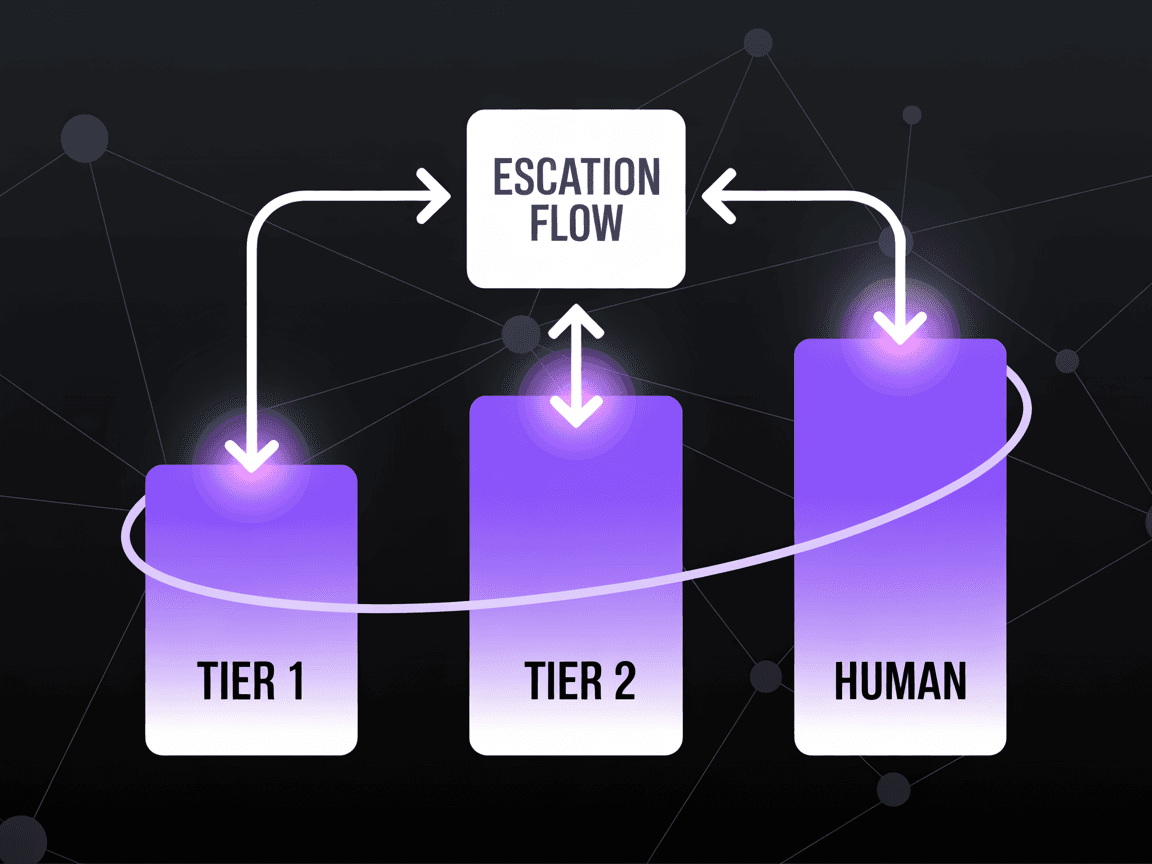
Tier 1: Tamamen Otomatik (hedef: %90-95 otomasyon orani). Bunlar net cozum yollari olan yuksek hacimli, iyi yapilandirilmis isteklerdir: sifre sifirlamalari ve hesap erisimi (talep hacminin %8-12'si), siparis durumu sorgulamalari (%15-20), kargo ve teslimat sorulari (%10-15), SSS ve urun bilgi istekleri (%8-12), abonelik yonetimi — yukseltme, dusurme, standart kosullarla iptaller (%5-8) ve fatura ve makbuz istekleri (%3-5). Tier 1 icin ajan, insan mudahalesi olmadan sorunu uctan uca cozumler. Temel gereksinim, ajan arka uc sistemlerden ilgili verileri topladiktan sonra cozum yolunun belirleyici olmasidir. Bu talep turleri genellikle toplam destek hacminin %50-65'ini olusturur.
Tier 2: Kismi Otomatik (hedef: %40-60 otomasyon orani). Bunlar orta karmasiklikta isteklerdir; ajan basit vakalari ele alir ama uc vakalari eskale eder: standart politika disinda faturalandirma anlasimazliklari ve iade istekleri (ajan politika dahilindeki iadeleri otomatik isler, 200 EUR'yu asan veya ters ibraz tehditleri iceren anlasimazliklari eskale eder), teknik sorun giderme (ajan tanilama adimlarini calistirir ve yaygin sorunlari cozumler, tanilamalar sonucsuz kaldiginda eskale eder), urun sikayetleri (ajan siniflandlirir, detaylari toplar ve standart tazminatla cozumler; musteri standart teklifi reddettginde eskale eder) ve standart prosedurler otesinde dogrulama gerektiren hesap degisiklikleri. Tier 2 talepleri genellikle toplam hacmin %25-35'ini olusturur. Ajanin rolu standart vakalari cozumlemek, standart disi vakalar icin eksiksiz bilgi toplamak ve insan temsilcilere islem surelerini %60-70 kisaltan on analizli bir talep sunmaktir.
Tier 3: Yalnizca Insan (hedef: %0 otomasyon, ajan destekli). Bunlar insan yargisiniin, empatinin veya yetkinin zorunlu oldugu durumlardir: hukuki tehditler veya regulasyon sikayetleri, savunmasiz musteriler (duygu analizi ve anahtar kelime kaliplari araciligiyla tespit edilen), yuksek degerli hesap tutma (ajan kayip riskini belirler ama tutma gorusmesi insan iliski becerileri gerektirir), musterinin birden fazla basarisiz cozum denemesinden gectigu karmasik coklu sorunlu eskalasyonlar ve musterinin acikca bir insan temsilci istedigi herhangi bir durum. Tier 3 icin ajanin rolu insan temsilciyi hazirlamaktir: sorunu ozetlemek, tum ilgili hesap verilerini cekmek, daha once neyin denendgini belgelemek ve benzer gecmis vakalara dayali cozum secenekleri onermek.
Sinir sabit degildir. Tutucu baslayin, sonuclari olcun ve kademeli olarak genisletin. Devreye almanin ilk ayinda otomasyon sinirini yalnizca Tier 1'e ayarlayin. Ikinci ayda basit Tier 2 vakalarini otomatiklestirmeye baslayin. Ucuncu aya kadar ajan, tam Tier 1 ve Tier 2 kapsamini islemek icin yeterli ornek islemis olacaktir. Bu kademeli yaklasimi — alti haftalik yol haritamizda detaylandirdigimiz — riski en aza indirir ve organizasyonel guveni olusturur.
Kritik bir tasarim karari, belirsiz vakalar icin varsayilan davranistir. Onerimiz: suphe durumunda eskale edin. Ajanin isleyebilecegi bir talebi eskale etmek (minior verimlilik kaybi), eskale edilmesi gereken bir talebi yanlis islemekten (musteri deneyimi hasari, potansiyel kayip) cok daha iyidir. Baslangic guven esiklerini yuksek (0,90+) ayarlayin ve performans verisi biriktikce kademeli olarak dusurnn.
Eskalasyon Mimarisi: Calisan Ajan-Insan Devir Teslimi
Yapay zeka ajanından insan temsilciye eskalasyon, cogu devreye almanin basarili veya basarisiz oldugu andir. Kotu bir devir teslim — musterinin her seyi tekrar anlatmasi gereken, baglamin kayboldugu, gecisin tutarsiz hissettirildigi — ajanin kurdugu tum iyi niyeti siler. Iyi bir devir teslim sorunsuz hissettrilir ve musteri bunu "aktarilmak" olarak degil, birlikte calisan bir ekip olarak algilar.
Guven Esigi Tetikleyicileri. Her ajan yaniti bir ic guven puani tasir. Puan yapilandirilan esigin altina dustugunde (Tier 1 gorevleri icin 0,85, Tier 2 icin 0,80 oneririz), ajan yanitlamak yerine eskale eder. Esik pilot asamasinda kalibre edilir: cok yuksek ve asiri eskalasyon yaparsiniz (insan kapasitesini bosaa harcama), cok dusuk ve yetersiz eskalasyon yaparsiniz (zayif yanitlar riski). Pratikte, cogu devreye alma icin tatlı nokta hatalarin is etkisine gore talep kategorisi basina ayarlanmis 0,80 ile 0,90 arasindadir.
Duygu Tespiti Tetikleyicileri. Ajan, konusma boyunca musteri duygusunu surekli izler. Nötr baslayip hayal kiriklisina ugrayan bir musteri — daha kisa mesajlar, olumsuz dil, asiri noktalama — ajanin cozumune guveninden bagimsiz olarak eskalasyonu tetikler. Son 3 mesaj uzerinde kayar bir duygu puani kullaniyoruz ve -1 ile +1 olceginde -0,3'un altindaki herhangi bir puan, insan temsilciyi ekstra ozenle yaklasma konusunda uyaran bir duygu isaretiyle aninda eskalasyonu tetikler.
Acik Eskalasyon Tetikleyicileri. Belirli ifadeler her zaman insan devirini tetikler: "bir insanla konusmak istiyorum," "mudurunnuze baglayin," "bu kabul edilemez" veya hukuki islem, regulasyon sikayeti veya medya iletisimi bahisleri. Bu tetikleyiciler, %100 guvenilirlik saglamak icin anahtar kelime tabanlidir (yapay zeka yorumu degil) — yapay zekanin bir musterinin acik insan talebi karsisinda akil yuruterek kacinmasini asla istemezsiniz.
Is Kurali Tetikleyicileri. Belirli eylemler guvenden bagimsiz olarak ajanin yetkisini asar: 500 EUR'nun uzerindeki iadeler, hesap kapaamalari, veri silme istekleri (GDPR Madde 17), yetkili limiti asan tazminat teklifleri ve ozel hizmet icin isaretlenmis VIP veya kurumsal hesaplarda herhangi bir eylem. Bu kurallar, prompt muhendisligi veya model halusinasyonu tarafindan atlanamamalarini saglamak icin LLM promptunda degil orkestrasyon katmaninda yapilandirilir.
Devir teslim yukuu, gecisi sorunsuz kilan seydir. Eskale ederken ajan su bilgileri paketler: sorunun yapilandirilmis ozeti (kategori, alt kategori, aciliyet), tam konusma transkripti, analiz sirasinda alinan tum sistem verileri (siparis detaylari, hesap gecmisi, onceki talepler), ajan tarafindan halihazirda gerceklestirilen eylemler, eskalasyonun spesifik nedeni ve benzer gecmis vakalara dayali 2-3 onerilen cozum yolu. Bu yuk, insan temsilciye bir kontrol paneli panelinde sunulur, boylece musteriyle etkilesime gecmeden once 15-30 saniyede inceleyebilirler.
Devir teslim sirasindaki musteri deneyimi, teknik uygulamasi kadar onemlidir. Ajan gecisi duurstce kabul etmelidir: "Bu konuda en iyi yardimi almanizi saglamak istiyorum. Tam hesap bilgileriniz ve konusmamizla birlikte sizi bir uzmanla bagliyorum." Yapay zekanin bir insan olduguna dair numara yapmayin. Musterinin "atildigini" hissettirmeyin. Ekip yaklasimi olarak cerceveleyin.
Uretimde, iyi tasarlanmis eskalasyon mimarisi, insan temsilcilerin esklae edilen talepleri ajan on islemesi olmadan isleyeceklerinden %40-50 daha hizli cozumlemesiyle sonuclanir, cunku sifirdan baslamak yerine eksiksiz baglamla baslarlar.
Olcekli Cok Dilli Destek
AB genelinde satis yapan Avrupa kuruluslari minimum 5-10 dilde destege ihtiyac duyar. Geleneksel cok dilli destek, her dilde ana dili konusucu temsilciler (pahali, ise almasi zor) veya ceviri araclari kullanan ortakk temsilciler (yavas, teknik icerik icin genellikle yetersiz) gerektirir. Yapay zeka ajanlari bu denklemi temelden degistirir.
Ajan-dogal cok dilli yetenek, LLM'in ayri bir ceviri adimi olmadan musterinin dilinde dogrudan isleme ve olusturma yapmasi anlamina gelir. Modern LLM'ler — GPT-4o, Claude 3.5, Llama 3.1 — Almanca, Fransizca, Ispanyolca, Italyanca, Flemenkce, Portekizce, Isvecce ve Lehce'yi neredeyse ana dil kalitesinde isler. Ajan, musterinin mesajini Almanca okur, bununla ilgili akil yurutur (modelin ic temsil uzayinda), yapilandiirilmis parametrelerle (dilden bagimsiz) sistemleri sorgular ve Almanca yanit verir. Hata veya gecikme yaratacak bir ceviri katmani yoktur.
Kalite, dile ve goreve gore degisir. Buyuk AB dilleri (Almanca, Fransizca, Ispanyolca, Italyanca, Flemenkce) icin kurumsal LLM'ler destek gorevlerinde Ingilizce dil kalitesinin %95-98'inde performans gosterir. Daha kucuk AB dilleri (Isvecce, Danmarkaca, Fince, Lehce, Cekce) icin kalite %88-94'e duser. Hukuk dili veya daha kucuk dillerde teknik dokumantasyon gibi yuksek oranda spesifik gorevler icin kalite daha da dusebilir. Aylik olarak test edilen dile ozgu kalite karsilastirma olcutleri surdurmenuzi oneririz: dil basina 50 konusma ornekleyin, dogruluk, ton ve dilbilgisi dogrrulugu icin puanlayin ve minimum esikler ayarlayin (taban olarak %90 oneririz).
Diller arasi marka ses tutarliligi, saf ceviri yaklasimlarinin zayif ele aldigi bir zorluktur. Almanca destek tonunuz Ingilizce tonunuzun kelimesi kelimesine cevirisi olmamalidir — Alman is iletisimi daha resmi, Fransiz daha iliskisel, Flemenkce daha dogrudan. Yapay zeka ajanlari, bu kulturel iletisim normlarini kodlayan dile ozgu sistem promptlariyla yapilandirilabilir. Pratikte bu, her biri desteklenen dil basina bir adet olmak uzere 5-10 sistem prompt varyanti surdurmek, her biri ton ve kulturel uygunluk icin ana dili konusucu tarafindan incelenmis anlamina gelir.
Maliyet etkileri dramatiktir. 10 AB dili icin geleneksel cok dilli destek operasyonu, yaklasik 40-60 temsilci gerektirir (zaman dilimleri arasinda yeterli kapsam icin dil basina 4-6). Temsilci basina yillik 45.000-55.000 EUR tam yuklu maliyetle, bu yillik 1,8-3,3 milyon EUR temsil eder. 10 dilin tamamini destekleyen bir yapay zeka ajan devreye almasi, tek dilli devreye almayla ayni altyapiyi gerektirir — bir dil eklemenin marjinal maliyeti aslinda sifirdir. Dile ozgu kalite guvencesi ve sistem prompt gelistirmesi hesaba katilsa bile maliyet farki donusturuucudur.
Bunun yerine ceviri katmanini ne zaman kullanmali. Temel LLM kalitesinin yetersiz oldugu diller icin (genellikle 50 milyondan az ana dili konusucusu olan ve egitim verilerinde sinirli temsili olan diller), hibrit bir yaklasim ise yarar: ajan dahili olarak Ingilizce isler ve girdi/cikti cevirisi icin ozel bir ceviri modeli (ayni zamanda AB merkezli olan DeepL API) kullanir. Bu 200-400 ms gecikme ekler ve ceviri yapay izleri olusturur, ancak dusuk kaliteli dogrudan olusturmadan iyidir. Bu yaklasimi, dogrudan LLM kalitesinin henuz %90 esigimizi karsilamadigi Macarca, Romanca ve Bulgarca gibi diller icin kullaniyoruz.
Stratejik icerik, cok dilli destegin artik minimize edilecek bir maliyet merkezi degil — maksimize edilecek bir rekabet avantaji olmasidir. Bir dil eklemenin maliyeti sifir oldugunda, rakiplerin hala musterileri Ingilizce'ye zoradigu pazarlarda ana dil destegi sunabilirsiniz. Deneyimimize gore, yeni bir pazarda ana dil yapay zeka destegi saglama, yalnizca Ingilizce destege kiyasla musteri donusum oranlarini %12-18 artirmaktadir.
Onemli Metrikler: CSAT, Cozum Orani, Ilk Yanit, Talep Basina Maliyet
Rakamlar anlatılardan daha onemlidir. Iste orta olcekli bir Avrupa SaaS sirketi (B2B, ayda 8.000 destek talebi, 6 desteklenen dil) icin uretim devreye almasindaki once-sonra metrikleri.
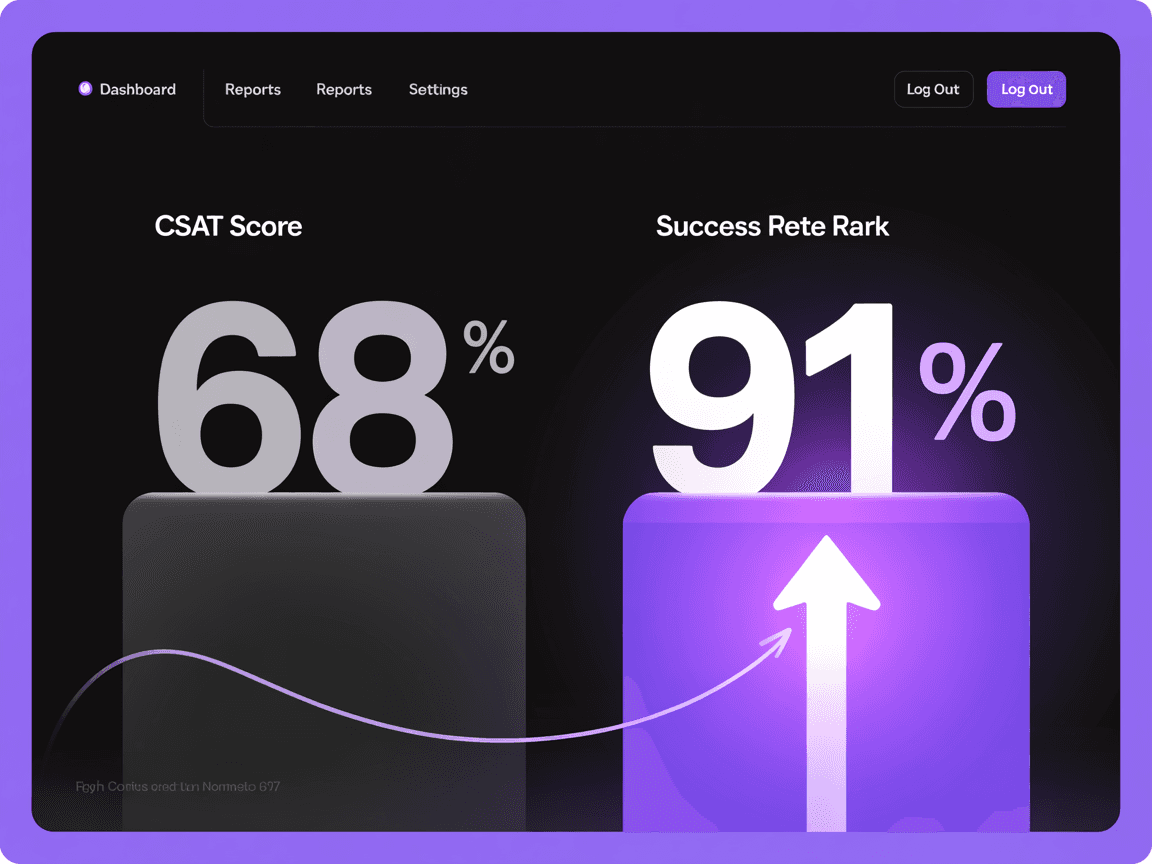
Musteri Memnuniyeti (CSAT): Oncesi: %68 (B2B SaaS icin sektor ortalamasi). Sonrasi: %91 (devreye almadan 6 ay sonra). Iyilesme uc faktordendir geldi: dramatik olarak daha hizli ilk yanit (musteriler beklemeyi nefret eder), daha yuksek ilk temas cozum orani (musteriler transfer edilmeyi nefret eder) ve daha tutarli kalite (yapay zekanin kotu gunleri, Pazartesi sabahi yorgunlugu veya Cuma oogledyen sonrasi aceleciligig yoktur). Dikkat cekici olarak, ajan tarafindan cozumlenen talepler icin CSAT (%93), insan tarafindan cozumlenen talepler icin CSAT'tan (%89) biraz daha yuksekti, cunku ajan cozumu daha hizli ve daha tutarlidir.
Ilk Yanit Suresi: Oncesi: 14,2 saat (gece ve hafta sonu kuyruk birikimi dahil). Sonrasi: 47 saniye (7/24/365, kuyruk yok). Bu tek metrik en buyuk CSAT iyilesmesini sagladi. 14 saat bekleyen musteriler, konusma baslamadan once zaten hayal kirikligina ugramisti. Bir dakikadan kisa surede — otomatik yanit degil, spesifik sorunlarini kabul eden gercek bir yanit — alan musteriler etkilesime temelden farkli bir duygusal taban cizgisiyle baslar.
Ilk Temas Cozum Orani: Oncesi: %34 (cogu talep en az bir transfer veya takip gerektiriyordu). Sonrasi: %73 (ajan insan mudahalesi veya eskalasyonu olmadan cozumler). Kalan %27 insan temsilcilere eskale edilir, ancak bunlar bile ajan on islemesinden fayda gorur — insan temsilci, cozum suresini %55 azaltan yapilandirilmis bir brifing alir.
Talep Basina Maliyet: Oncesi: 12,00 EUR (tam yuklu: maaaslar, araclar, yonetim, tesisler). Sonrasi: 2,10 EUR (altyapi + eskale edilen taleplerin insan islemesi). Bu %82,5 maliyet azaltmasini temsil eder. Ayda 8.000 talepte tasarruf yaklasik ayda 79.200 EUR veya yilda 950.400 EUR'dur. Yapay zeka ajan altyapisi ayda yaklasik 8.500 EUR'ya mal olur. ROI hesaplamasi incelikli degildir.
Ortalama Islem Suresi (insan temsilciler icin): Oncesi: talep basina 18,4 dakika. Sonrasi: talep basina 7,2 dakika (yalnizca ajan on islemeli eskale edilen talepler). Insan temsilciler artik daha verimlidir cunku yalnizca karmasik vakalari islerler ve her etkilesime eksiksiz baglamla baslarlar.
Temsilci (Insan) Memnuniyeti: Oncesi: uc aylik katilim anketlerinde 3,2/5. Sonrasi: 4,1/5. Destek temsilcileri, tekrarci gorevlere daha az ve zorlayici, odullendirici sorunlara daha fazla zaman ayirdiklari icin daha yuksek is memnuniyeti bildirmektedir. Destek ekibindeki personel devir orani yillik %28'den %12'ye dustu — destek personeli ise alma ve egitim maliyeti gozonune alindiginda anlamli bir ikincil faydadir.
Kategoriye Gore Eskalasyon Orani: Siparis durumu sorgulamalari: %3 eskalasyon (%97 otomatik). Sifre ve erisim sorunlari: %2 eskalasyon. Faturalandirma sorulari: %18 eskalasyon. Teknik sorun giderme: %34 eskalasyon. Urun sikayetleri: %42 eskalasyon. Hesap iptalleri: %61 eskalasyon. Bu kategori duzeyinde metrikler, ajanin yeteneklerini genisletmeye nereye yatirim yapilacagini ve insan temsilcilerin birincil yanitlayici olarak tutulacagini belirlemek icin onemlidir.
Bu metrikler beklentiye dayali degildir — gercek bir devreye almadan olculmus sonuclardir. Spesifik rakamlariniz talep hacminize, karmasiklik karisiminiza ve mevcut taban cizginize baginli olacaktir. Ancak yonsel iyilesmleler — 20-30 puanlik CSAT artisi, %95+ ilk yanit suresi azaltmasi, %70-85 talep basina maliyet azaltmasi — Korvus Labs olarak yonettigimiz devreye almalar arasinda tutarlidir.
Vaka Calismasi: 23 Puanlik CSAT Iyilestirmesiyle %73 Otomasyon
Bu vaka calismasi, finansal teknoloji sektorunde bir Avrupa B2B SaaS sirketi icin devreye almayi detaylandirir. Detaylar musteri sozlesmemiz geregince anonimlestirilmistir, ancak tum metrikler fiili olculmus sonuclardir.
Sirket Profili: Orta olcekli fintek SaaS. DACH, Benelux ve Nordik ulkeleri arasinda 2.200 kurumsal musteri. 6 dilde (Almanca, Ingilizce, Flemenkce, Isvecce, Fransizca, Danmarkaca) ayda 8.000 destek talebi. 2 vardiya halinde calisan 32 kisilik destek ekibi. Yillik destek operasyonlari maliyeti: 1,92 milyon EUR.
Problem: CSAT, musteri tabani destek ekibinden daha hizli buyudukce 18 ay icinde %74'ten %68'e dusmusttu. Ilk yanit sureleri ortalama 14 saatti ve urun yayinlamalarindan sonra 36+ saate cikiyordu. Ise alim zordu — finansal alan bilgisine sahip cok dilli destek temsilcileri nadir ve pahaliydi. Sirket, yalnizca mevcut (zaten dusen) hizmet duzeylerini korumak icin 12 ek temsilciye (yillik 660.000 EUR) ihtiyac duydugunu ongormekteydi.
Mimari Kararlar: Yapay zeka ajanini AB Veri Siniri icindeki Azure OpenAI uzerinde devreye aldik (karmasik akil yurutme icin GPT-4o, siniflandirma ve yonlendirme icin GPT-4o-mini); Salesforce Service Cloud (talep yonetimi), tescilli bir faturalandirma sistemi (REST API araciligiyla), Confluence (bilgi tabani, 2.400 makale) ve Intercom (canli sohbet) ile entegre ettik. Orkestrasyon katmani Bati Avrupa bolgesinde Azure Kubernetes Service uzerinde calisti. Vektor veritabani (Qdrant), tum bilgi tabani makaleleri, gecmis talep cozumleri ve urun dokumantasyonunun gommelerini depoladi.
Hafta 1-2: 3 talep turuyle pilot. Siparis/abonelik durumu sorgulamalari, sifre sifirlamalari ve erisim sorunlari ve fatura istekleriyle basladik. Bu uc kategori toplam talep hacminin %31'ini temsil ediyordu ve en yuksek otomasyon potansiyeline sahipti. Ajan, 0,92 guven esiyiyle yayina gecmeden once ilk 3 gun golge modunda calisti (talepleri insan temsilcilerle paralel isleyerek sonuclari karsilastirdi ancak musterilere gondermedi).
Hafta 3-4: 8 talep turune genisletme. Faturalandirma sorulari, ozellik nasil yapilir istekleri, entegrasyon sorun gidermesi (standart sorunlar), abonelik degisiklikleri ve veri disa aktarma istekleri eklendi. Otomasyon kapsami talep hacminin %58'ine genisledi. Guven esigi, pilot verilerinin o esikte %99,2 dogruluk gosterdigine dayanarak 0,88'e dusuruldu.
Hafta 5-6: Tum Tier 1 ve Tier 2 kategorilerinde tam devreye alma. Urun sikayetleri, teknik eskalasyonlar ve hesap yonetimi dahil kalan kategoriler eklendi. Nihai otomasyon orani tum taleplerin %73'unun ajan tarafindan tamamen cozumlenmesi olarak stabilize oldu. Kalan %27 tam baglamla insan temsilcilere eskale edildi.
6 Aylik Sonuclar:
- CSAT: %68'den %91'e (+23 puan)
- Ilk yanit suresi: 14,2 saatten 47 saniyeye
- Ilk temas cozumu: %34'ten %73'e
- Talep basina maliyet: 12,00 EUR'dan 2,10 EUR'ya
- Aylik destek maliyeti: 160.000 EUR'dan 48.500 EUR'ya (altyapi 8.500 EUR + kucultulmus ekip 40.000 EUR)
- Yillik tasarruf: 1.338.000 EUR
- Geri odeme suresi: 11 hafta (uygulama maliyeti 95.000 EUR dahil)
Cikarilan Dersler: Birincisi, golge modu zorunludur — 3 gunluk paralel calisma, musteriye yansiyacak hatalara yol acacak 14 uc vaka yakaladi. Ikincisi, darboyyaz yapay zeka modeli degil bilgi tabaniydi — ilk pilot hatalarinin %40'i guncel olmayan veya celiskili bilgi tabani makalelerine izlendi. 2. haftayi bilgi tabanini temizleyerek gecirdik, bu herhangi bir model ayarlamasindan daha fazla dogruluk iyilestirmesi sagladi. Ucuncusu, destek ekibinin katilimi en zor kisimdi. Baslangic direnci onemliydi ("yapay zeka bizi degistirecek"). Ajanin insanlarin ilginc olanlara odaklanabilmesi icin sikici talepleri ele almasi olarak cercevelenmesi, seffaf iletisimle birlestirilmis ekip yeniden yapilandirmasi (isten cikarma degil yeniden konumlandirma) hakkinda, skeptikleri 4 hafta icinde savunuculara donusturdu.
Pilottan Tam Olcege 6 Haftada
Korvus Labs'ta kullandigimiz devreye alma metodolojisi, her asamada net kilometre taslari, karar gecitleri ve geri alma kriterleri olan yapilandirilmis 6 haftalik bir zaman cizelgesini izler. Bu bir selalel plan degildir — olculen genisleme yoluyla guven olusturan yinelemeli bir yaklasimdir.
Hafta 1: Entegrasyon ve Golge Modu. Ajani talep sisteminize, CRM'inize ve baslangic talep turleri icin gereken 2-3 arka uc sisteme baglayin. Golge modunda devreye alin: ajan gelen her talebi insan temsilcilerle paralel isler. Sonuclari karsilastirin. 200+ talep orneklemi uzerinde dogrulugu olcun. Karar gecidi: golge dogrulugu hedef talep turlerinde %95'i asmazsa canli pilota gecmeyin. Bu asamadaki tipik engelyiciler: eski sistemlerdeki API hiz limitleri, eksik veya guncel olmayan bilgi tabani icerigi ve talep ayrismadaki uc vakalar.
Hafta 2: 3 Talep Turuyle Canli Pilot. En yuksek hacimli, en dusuk riskli 3 talep turuyle yayina gecin. Guven esigini 0,90-0,92'ye ayarlayin (tutucu). Yanlis negatifleri (ajanin isleyebilecegi talepler) ve yanlis pozitifleri (ajanin yanlis islediyi talepler) belirlemek icin her eskalasyonu izleyin. Destek ekibi lideriyle gunluk inceleme toplantisi. Gozlemlenen hata kaliplarina dayali sistem promptunu ayarlayin. Karar gecidi: dogruluk %97'yi asmaz ve ajan tarafindan islenen taleplerdeki CSAT insan taban cizgisini karsilamaz veya asmazsa genislemeye gecmeyin.
Hafta 3-4: 6-10 Talep Turune Genisleme. Hacim ve otomasyon potansiyeline gore onceliklendirilmis sonraki talep turleri katmanini ekleyin. Pilot verilere dayanarak guven esigini 0,85-0,88'e dusuruns. Gerektikce ek arka uc sistemleri entegre etmeye baslayin. Talep basina maliyet ve islem suresi iyilesmlelerini olcmeye baslayin. Destek ekibi kuyruk basincinin azalmadigini fark etmeye baslamalidir. Karar gecidi: genel otomasyon orani %50'yi asmaz ve kalite metrikleri stabil kalmazsa tam devreye almaya gecmeyin.
Hafta 5: Tam Tier 1 ve Tier 2 Kapsami. Ajani tum talep kategorilerinde etkinlestirin. Kategoriye ozgu guven esikleri yapilandirin (hassas kategoriler icin daha yuksek, rutin olanlar icin daha dusuk). Duygu tespiti ve is kurali tetikleyicileri dahil eksiksiz eskalasyon mimarisini uygulayin. Destek ekibini yeni is akisi konusunda egitmeye baslayin: tum talepleri sifirdan islemek yerine ajan eskalasyonlarini inceleme.
Hafta 6: Optimizasyon ve Devir Teslim. 4 haftalik uretim verisine dayanarak guven esiklerini ince ayarlayin. Ajan hata analizine dayali bilgi tabanini optimize edin. Surekli izleme kontrol panelleri ve uyarilari (dogruluk dususu, eskalasyon orani artisi, CSAT dususu) olusturun. Ic ekibinizi ajan yonetimi konusunda egitin: prompt guncellemeleri, bilgi tabani bakimi, esik ayarlamasi. Operasyon el kitabini teslim edin.
Bu alti haftalik zaman cizelgesi, standart teknoloji yiginlarina sahip orta olcekli kuruluslar icin ulasilabilirdir. Karmasik eski sistemlere sahip buyuk kuruluslar 8-10 haftaya ihtiyac duyabilir. Modern SaaS yiginlarina sahip daha kucuk sirketler bazen 4 haftada tamamlayabilir. Temel ilke zaman cizelgesinden bagimsiz olarak aynidir: dar baslayin, titizlikle olcun, kasitli olarak genisletin.
Yapay zeka destek ajanlarinin operasyonunuz icin uygun olup olmadigini degerlendiriyorsaniz, en iyi sonraki adim ekibimizle bir kesif gorusmesi yapmanizdir. Talep verilerinizi analiz edecek, en yuksek etkili otomasyon firsatlarini belirleyecek ve gercekci bir zaman cizelgesi ile maliyet tahmini sunacagiz. Taahhut gerekli degildir — rakamlar spesifik durumunuz icin islemezse, bunu duurstce soyleyecegiz.