Çoğu Pilot Neden Asla Üretime Ulaşamaz
Herkesin alıntıladığı rakam farklıdır — Gartner %85, McKinsey %74, kendi verilerimiz %87 diyor — ama sonuç aynı: kurumsal yapay zeka ajan pilotlarının büyük çoğunluğu asla üretime ulaşamaz. Teknoloji çalışmadığı için değil. Çoğu durumda pilot olağanüstü iyi çalışır. Ajan faturaları doğru işler, müşteri sorularını doğru yanıtlar veya destek biletlerini etkileyici hassasiyetle sınıflandırır. Demo başarılıdır. Yönlendirme komitesi alkışlar. Ve sonra proje, bütçeyi ve ivmeyi sessizce tüketen "üretime hazır hale getirme" ölüm sarmalına girer ve birisi merhamet edip sonlandırana kadar sürer.
Kök neden, "üretime hazır"ın bir yapay zeka ajanı için ne anlama geldiğinin sistematik olarak hafife alınmasıdır. Pilot, bir geliştiricinin dizüstü bilgisayarında veya tek bir bulut örneğinde çalışır. Düzenlenmiş bir veri setini işler. İzleme, hata yönetimi, uyumluluk dokümantasyonu, üretim sistemleriyle entegrasyon, güvenlik güçlendirmesi, yük testi ve operasyonel çalıştırma kitabı yoktur. O pilot ile gerçek verileri işleyen, gerçek sistemlerle entegre olan, gerçek uyumluluk gereksinimlerini karşılayan ve gerçek ölçekte çalışan bir üretim dağıtımı arasındaki boşluk muazzamdır — ve çoğu ekibin ortasındayken tam olarak takdir edemediği bir boşluktur.
Pilotları üretime giden yolda öldüren beş belirli başarısızlık modu tespit ettik. Mimari boşluğu: pilot, üretim gereksinimlerini (yüksek erişilebilirlik, yük devretme, veri kalıcılığı, denetim kaydı) destekleyemeyen basit bir mimariyle (LLM API çağrısı artı birkaç araç) oluşturuldu. Mimariyi sıfırdan yeniden oluşturmak 8-12 hafta sürer — pilotun kendisinden daha uzun. Entegrasyon boşluğu: pilot sahte veri veya CSV dosyaları kullandı. Üretim API'lerine (SAP, Salesforce, eski SOAP hizmetleri) bağlanmak, pilot sırasında görünmeyen kimlik doğrulama karmaşıklığı, hız sınırlaması, veri formatı tutarsızlıkları ve hata yönetimi gereksinimleri getirir. Uyumluluk boşluğu: pilot sırasında kimse KVKK, denetim izleri, veri saklama veya AB Yapay Zeka Yasası hakkında düşünmedi. Uyumluluğu sonradan eklemek, veri akışlarını yeniden mimarisi anlamına gelir, bu da ajanı yeniden mimarisi anlamına gelir, bu da pilotun esas olarak değersiz olduğu anlamına gelir. Operasyon boşluğu: izleme, uyarı, performans gösterge panelleri, maliyet takibi yok ve gece 2'de ajan hata yaptığında ne yapılacağına dair çalıştırma kitabı yok. İnsan boşluğu: pilotu oluşturan veri bilimcinin üretim dağıtımı deneyimi yok ve ajanı çalıştıracak operasyon ekibinin yapay zeka sistemleri deneyimi yok.
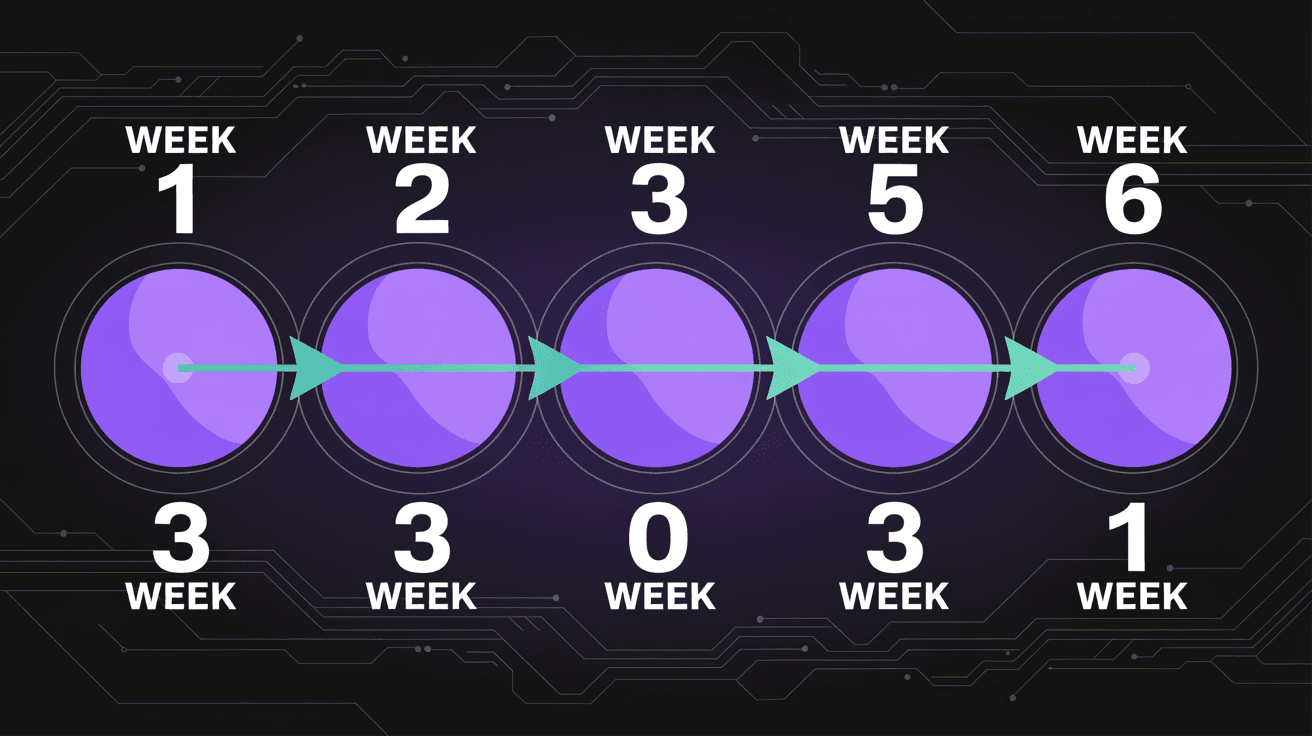
Bu stratejik plan bu boşlukları proaktif olarak kapatmak için var. Üretim mimarisi, uyumluluk, entegrasyon ve operasyonları ilk günden plana dahil ederek — sonradan akla gelen düşünceler olarak değil — 6 haftalık zaman çizelgesi sadece agresif değil, başarılabilir hale gelir. Bu stratejik planı Avrupa genelinde finansal hizmetler firmaları, üretim şirketleri ve SaaS platformları için üretim yapay zeka ajanları dağıtmak üzere kullandık ve kalıp işe yarıyor. Sihir olduğu için değil, zor konuşmaları ve mimari kararları ucuz oldukları ilk iki haftaya zorladığı için — düzeltilmesinin pahalı olduğu son iki aya değil. Yapay zeka projelerinin neden başarısız olduğu konusundaki daha geniş bağlam için, başarısızlığı önleyen yedi kalıbın ayrıntılı analizini yayınladık.
Hafta 0: Başarı veya Başarısızlığı Belirleyen Ön Çalışma
Hafta 0, tüm stratejik planın en önemli aşamasıdır ve 6 haftalık saat başlamadan önce gerçekleşir. Buna Hafta 0 diyoruz çünkü opsiyonel bir hazırlık değil — zorunlu bir ön koşuldur. Ön çalışmayı atlamak veya acele etmek, ajan dağıtımınızın zaman çizelgesini kaçırmasını, bütçesini aşmasını veya tamamen başarısız olmasını garanti etmenin en güvenilir yoludur. Ekibiniz ve uygulama ortağı genelinde 3-5 iş günlük odaklanmış çalışma planlayın.
Paydaş uyumu ilk ve en kritik ön çalışma görevidir. Tek bir satır kod yazmadan önce, her paydaş üç konuda anlaşmalıdır: (1) Ajan hangi belirli iş sürecini otomatikleştirecek? Genel olarak "fatura işleme" değil, "Türkiye üretim işletmemizdeki doğrudan malzeme alımları için satın alma siparişleri, mal girişleri ve tedarikçi faturalarının üçlü eşleştirmesi." Spesifiklik önemlidir çünkü kapsamı, veri gereksinimlerini, entegrasyon noktalarını ve başarı kriterlerini tanımlar. (2) Başarı neye benzer? Ajanın canlıya almadan sonra 90 gün içinde ulaşması gereken 3-5 ölçülebilir KPI tanımlayın. Örneğin: eşleşen faturaların %80'ini insan müdahalesi olmadan işle, ortalama işlem süresini 12 dakikadan 45 saniyeye düşür, otomatik kararlarda %99,2 doğruluk elde et. (3) Canlıya almadan sonra ajana kim sahip olacak? Bu, çoğu ekibin kaçındığı sorudur ve herhangi bir teknik zorluğun ötesinde daha fazla ajan dağıtımını öldüren sorudur. Ajanın bir sahibine ihtiyacı vardır — performansı izlemekten, yükseltmeleri yönetmekten, değişiklikleri onaylamaktan ve sürekli iyileştirmeyi yönlendirmekten sorumlu bir kişi veya ekip.
Veri erişimi kurulumu ikinci ön çalışma görevidir. Ajanın ihtiyaç duyacağı her veri kaynağını belirleyin ve proje başlamadan önce erişimi güvence altına alın. Kurumsal ortamlarda, bir üretim veritabanına veya API'ye okuma erişimi almak güvenlik incelemeleri, erişim talep süreçleri ve API anahtarları veya kimlik bilgileri tedariki nedeniyle 2-4 hafta sürebilir. Veri erişimi talebini Hafta 1'e kadar beklerseniz, proje zaman çizelgesinin yarısını beklemekle yakarsınız. Spesifik olarak ihtiyacınız var: ajanın etkileşime gireceği iş sistemlerine okuma erişimi (ERP, CRM, belge yönetimi vb.), geliştirme ve test için temsili üretim verisi örneği (yaygın durumları, uç durumları ve hata durumlarını kapsayan minimum 1.000 kayıt) ve her entegrasyon noktası için staging veya sandbox ortamı.
Altyapı tedariki üçüncü görevdir. Özel VPC'de veya yerinde ortamda dağıtım yapıyorsanız (ve Avrupa'daki bir kuruluşsanız yapmalısınız — veri egemenliği rehberimize bakın), proje başlamadan önce altyapıyı tedarik edin. Bu tipik olarak şu anlama gelir: LLM çıkarımı için GPU etkinleştirilmiş bilişim örnekleri (üretim için minimum 1x A100 veya eşdeğeri, yüksek erişilebilirlik için 2x), vektör veritabanları ve ajan durumu için depolama (kullanım alanına bağlı olarak 500 GB-2 TB), ağ yapılandırması (VPN tünelleri, güvenlik duvarı kuralları, DNS girişleri) ve CI/CD pipeline kurulumu (staging ve üretim ortamları için dağıtım hedefleriyle GitLab, GitHub Actions veya Jenkins).
Uyumluluk ön değerlendirmesi dördüncü görevdir. DPO'nuz, hukuk ekibiniz ve uygulama ortağıyla 2 saatlik bir çalışma oturumu planlayın: Bu ajan kullanım alanı bir KVKK Veri Koruma Etki Değerlendirmesi (DPIA) gerektiriyor mu? AB Yapay Zeka Yasası kapsamındaki olası risk sınıflandırması nedir? Ek gereksinimler yaratan sektöre özgü düzenlemeler var mı (örn. finansal süreçler için GoBD, otomotiv kalitesi için IATF 16949)? Hangi denetim izi gereksinimleri geçerli? Uyumluluk gereksinimlerini proje boyunca doğrulanacak bir kontrol listesinde belgeleyin. Mimari değişiklikler gerektiren bir uyumluluk gereksinimini Hafta 5'te keşfetmek, en pahalı sürpriz türüdür.
Hafta 0'ın teslim edilebilirliği bir Proje Tüzüğüdür: üzerinde anlaşılmış kapsamı, başarı metriklerini, paydaş rollerini, veri erişim durumunu, altyapı durumunu, uyumluluk gereksinimlerini ve risk faktörlerini yakalayan 3-5 sayfalık bir belge. Her karar verici, 6 haftalık saat başlamadan önce bu belgeyi onaylar. İmza yok, başlangıç yok.
Hafta 1-2: Keşif ve Mimari
İlk iki hafta, sorunu derinlemesine anlamak ve üretimde çalışacak bir çözüm tasarlamaktır — hızlı bir prototip oluşturup ölçeklenmesini ummak değil. Burası çoğu ekibin en maliyetli hatayı yaptığı yerdir: iş sürecini düzgün haritalamadan, verileri denetlemeden, entegrasyonları envanterlemeden ve üretim gereksinimlerini destekleyen bir mimari tasarlamadan geliştirmeye atlamak.
İş süreci haritalama (Gün 1-3) başlangıç noktasıdır. Ajanın otomatikleştireceği işi şu anda yapan insanlarla oturun. Yöneticileriyle değil — gerçek uygulayıcılarla. Çalışmalarını izleyin. Her adımı, her kararı, her istisnayı, her geçici çözümü belgeleyin. Fatura işleme ajanı için bu, muhasebe memurlarıyla oturarak şunları belgelemek anlamına gelir: Satın alma siparişiyle eşleşmeyen faturaları nasıl yönetirler? Mal girişi miktarı fatura miktarından farklı olduğunda ne yaparlar? Yabancı para cinsinden faturaları nasıl ele alırlar? Amire yükseltmeyi ne tetikler? Bu soruların yanıtları ajanın karar mantığını, yükseltme kurallarını ve hata yönetimini tanımlar — ve neredeyse hiçbir zaman mevcut süreç dokümantasyonunda yakalanmazlar. 2-3 tam günlük süreç gözlemi ve görüşme bütçeleyin.
Veri denetimi (Gün 3-5) ajanın işleyeceği gerçek verileri ve karar alma için ihtiyaç duyacağı verileri inceler. Bu istatistiksel bir alıştırma değil — veri kalitesi, tamlığı ve erişilebilirliğinin pratik bir değerlendirmesidir. Temel sorular: Kayıtların yüzde kaçı eksiksiz (tüm gerekli alanlar doldurulmuş)? En yaygın veri kalitesi sorunları neler (eksik alanlar, tutarsız formatlar, yanlış değerler)? Veri kalitesi kaynaklar, zaman dilimleri ve varlık türleri genelinde nasıl değişiyor? Ajanın işlemesi gereken veri hacmi ne (tepe ve ortalama)? Gecikme gereksinimi nedir (gerçek zamanlı, yarı gerçek zamanlı, toplu)? Veri denetimi tipik olarak ajanın güvenilir çalışabilmesinden önce ele alınması gereken 3-5 veri kalitesi sorununu ortaya çıkarır. Bunları şimdi ele alın, Hafta 4'te değil.
Entegrasyon envanteri (Gün 4-6) ajanın etkileşime gireceği her sistemi kataloglar ve her biri için entegrasyon arayüzünü belgeler. Her sistem için: API türü nedir (REST, SOAP, veritabanı, dosya tabanlı)? Hangi kimlik doğrulama mekanizması kullanılıyor? Hız limitleri neler? Hangi veriler okunabilir ve yazılabilir? Hata yönetimi davranışı nedir? Gecikme nedir? Sandbox veya staging ortamı mevcut mu? Mühendislik ekibinizin ve satıcının ekibinin onayladığı bir entegrasyon spesifikasyon belgesi oluşturun. Hafta 4'teki entegrasyon sürprizleri zaman çizelgesi kaymasının en yaygın nedenidir.
Mimari tasarım (Gün 6-10) süreç haritalama, veri denetimi ve entegrasyon envanterinden öğrenilen her şeyi üretime hazır bir mimariye sentezler. Mimari belgesi şunları kapsamalıdır: ajan bileşenleri (muhakeme motoru, araçlar, bellek, koruma bariyerleri), entegrasyon mimarisi (bağlayıcılar, mesaj kuyrukları, hata yönetimi, yeniden deneme mantığı), veri mimarisi (depolama, indeksleme, önbelleğe alma, saklama), insan denetimi (human-in-the-loop) iş akışları (yükseltme tetikleyicileri, onay arayüzleri, geri bildirim döngüleri), güvenlik mimarisi (kimlik doğrulama, yetkilendirme, şifreleme, ağ segmentasyonu), uyumluluk mimarisi (denetim izleri, veri kökeni, rıza yönetimi), izleme ve uyarı mimarisi (metrikler, gösterge panelleri, uyarı kuralları, çalıştırma kitapları) ve dağıtım mimarisi (CI/CD, staging, üretim, geri alma).
Hafta 1-2'nin teslim edilebilirlikleri: (1) İş Süreci Spesifikasyonu — tüm istisna yolları ve yükseltme kuralları dahil otomatikleştirilen sürecin ayrıntılı belgesi. (2) Veri Değerlendirme Raporu — veri kalitesi bulguları, iyileştirme planı ve hacim/gecikme gereksinimleri. (3) Entegrasyon Spesifikasyonu — bağlı her sistem için arayüz dokümantasyonu. (4) Mimari Belgesi — yukarıda açıklanan üretim mimarisi. (5) Uyumluluk Kontrol Listesi — mimari kararlara eşlenen düzenleyici gereksinimler.
Karar Kapısı 1 Hafta 2 sonunda gerçekleşir. Proje sponsoru teslim edilebilirlikleri inceler ve geliştirme için devam/dur kararı verir. Bir "dur" başarısızlık değildir — üretim dağıtımını gerçekçi kılmayan temel veri kalitesi sorunları, entegrasyon engelleri veya uyumluluk kısıtlamaları olan bir projeye 4 hafta daha yatırım yapılmasını önlüyorsa başarıdır. Deneyimimize göre, projelerin yaklaşık %15'i bu kapıda devam etmeden önce çözüm gerektiren kritik bir engelleyici tespit eder. Bunu Hafta 2'de yakalamak 4 haftalık boşa giden çabayı tasarruf eder.
Hafta 3-4: Geliştirme ve Entegrasyon
Sağlam bir mimari belgesi elinizdeyken ve Karar Kapısı 1 onaylandıysa, geliştirme başlar. Hafta 3-4 süresince temel disiplin paralel yürütmedir: ajan geliştirme ve entegrasyon mühendisliği, sıkıştırılmış zaman çizelgesine sığmak için eş zamanlı gerçekleşmelidir, sıralı değil. Bu, koordineli akışlarda çalışan 3-5 mühendislik ekibi gerektirir.
Ajan geliştirme akışı (Hafta 3-4, sürekli) temel ajan yeteneklerini oluşturur. Bu şunları içerir: prompt mühendisliği (sistem promptları, az örnekli örnekler, düşünce zinciri şablonları), araç uygulamaları (ajanın harici sistemlerle etkileşim kurmak için çağırdığı fonksiyonlar — veritabanı oku, e-posta gönder, kayıt güncelle, API çağır), koruma bariyerleri (girdi doğrulama, çıktı doğrulama, halüsinasyon tespiti, hassas veri filtreleme, eylem limitleri), bellek yönetimi (konuşma geçmişi, varlık durumu, bilgi erişimi) ve hata yönetimi (araçlar başarısız olduğunda zarif bozulma, yeniden deneme mantığı, geri dönüş davranışları). Prompt mühendisliği özel ilgiyi hak eder. Üretim promptları demolarda işe yarayan zekice tek satırlar değildir. İş kurallarını, karar kriterlerini, çıktı format gereksinimlerini, yükseltme tetikleyicilerini ve uyumluluk kısıtlamalarını kodlayan dikkatle yapılandırılmış belgelerdir — genellikle 2.000-4.000 token. Promptları doğru yapmak, yüzlerce gerçek örneğe karşı yinelemeli test gerektirir.
Entegrasyon mühendisliği akışı (Hafta 3-4, sürekli) ajan ile üretim sistemleri arasındaki bağlayıcıları oluşturur. Hafta 2 envanterinde belirlenen her entegrasyon için: kimlik doğrulama, hata yönetimi, yeniden deneme mantığı ve hız sınırlamasıyla API istemcisini uygulayın; veri dönüşüm katmanları oluşturun (ajanın dahili veri modeli nadiren harici sistemin formatıyla tam olarak eşleşir); doğrulama ve geri almayla geri yazma yeteneklerini uygulayın; sandbox ortamıyla entegrasyon testi kurun; ve operasyon devri için entegrasyonu belgeleyin. Yaygın bir hata entegrasyon karmaşıklığını hafife almaktır. "Basit" bir REST API entegrasyonu, kimlik doğrulama token yenilemesi, sayfalama, olası her HTTP durum kodu için hata yönetimi, veri doğrulama, dönüşüm ve test hesaba katıldığında 3-5 gün sürebilir. Bütçenizi buna göre yapın.
İnsan denetimi (human-in-the-loop) iş akışı geliştirmesi (Hafta 3-4, 2-3 gün) yükseltme ve onay arayüzlerini oluşturur. Bunlar, ajanın güveni eşiğin altında olduğunda, eylem ajanın yetkisini aştığında veya iş süreci insan onayı gerektirdiğinde (örn. belirli bir tutarın üzerindeki ödemeler) kararları insan inceleyicilere yönlendiren mekanizmalardır. Arayüz şunları sunmalıdır: ajanın durumu değerlendirmesi, güven düzeyiyle önerilen eylem, öneriyi destekleyen kanıt (kaynak veri, muhakeme zinciri) ve tek dokunuşla onayla/değiştir/reddet kontrolleri. Bunları hafif web arayüzleri olarak oluşturuyoruz veya kullanıcının iş akışına bağlı olarak mevcut araçlara (Slack, Teams, e-posta) entegre ediyoruz.
Hafta 4 sonunda, gerçek verileri işleyen, gerçek sistemlere bağlanan (staging'de), yükseltmeleri insan inceleyicilere yönlendiren ve denetim uyumlu karar günlükleri üreten çalışan bir ajanınız olmalıdır. Bu cilalı bir ürün değil — Hafta 5'te güçlendirilecek, test edilecek ve rafine edilecek işlevsel bir sistemdir.
Hafta 3-4'ün teslim edilebilirlikleri: (1) Staging ortamında temsili verileri işleyen çalışan ajan. (2) Staging'de bağlı ve test edilmiş tüm entegrasyonlar. (3) Gerçek yükseltme yönlendirmesiyle işlevsel insan denetimi iş akışları. (4) İlk performans metrikleri: doğruluk, gecikme, verim, yükseltme oranı. (5) Yaygın yollar, uç durumlar ve hata senaryoları genelinde 200+ test vakasını kapsayan test raporu.
Karar Kapısı 2 Hafta 4 sonunda gerçekleşir. Test sonuçlarını, performans metriklerini ve entegrasyon kararlılığını gözden geçirin. Temel sorular: Ajan test veri setinde doğruluk gereksinimlerini karşılıyor mu? Entegrasyonlar beklenen yük altında kararlı mı? İnsan denetimi iş akışları doğru çalışıyor mu? Üretim dağıtımı için çözülmemiş engelleyiciler var mı? Herhangi bir kritik sorun tespit edilirse, Hafta 5 çözüm için tampon sağlar — ancak sorunun kapsamı belirlenmiş ve bir hafta içinde çözülebilir olması koşuluyla. Daha büyük sorunlar zaman çizelgesi uzatması gerektirebilir.

Hafta 5: Yük Testi, Güvenlik ve Uyumluluk
Hafta 5 potadır. Hafta 3-4'te oluşturulan her şeyi stres testine tabi tuttuğunuz ve sistemin gerçekten üretime hazır olduğunu doğruladığınız yerdir — "muhtemelen sorun yok" değil, kanıtlarla gösterilebilir şekilde hazır. Hafta 5'i atlamak veya kısaltmak en cazip kestirme yol ve en tehlikeli olanıdır. Araştırdığımız her üretim olayı, üretim öncesi testte yakalanması gereken bir şeye kadar izlenebilir.
Yük testi (Gün 1-2) ajanın üretim hacimlerinde kabul edilebilir performans gösterdiğini doğrular. Temel testler: (1) Verim testi — ajan beklenen günlük hacmi beklenen zaman penceresi içinde işleyebilir mi? Günde 500 fatura işleyen bir fatura işleme ajanı için, tek bir 8 saatlik pencerede 500 faturayı simüle edin ve tamamlanma süresini, doğruluğu ve kaynak kullanımını ölçün. (2) Tepe yük testi — hacim artışlarında ne olur? Normal hacmin 3 katını simüle edin ve sistemin felaket şeklinde (çökmeler, veri kaybı, yanlış sonuçlar) yerine zarif şekilde bozulduğunu (daha yavaş işleme) doğrulayın. (3) Sürekli yük testi — yalnızca zamanla ortaya çıkan bellek sızıntılarını, bağlantı havuzu tükenmelerini veya diğer sorunları belirlemek için ajanı normal hacimde 48 saat sürekli çalıştırın. (4) Eşzamanlı kullanıcı testi — insan denetimi arayüzü birden fazla inceleyici tarafından aynı anda kullanılacaksa, eşzamanlı erişimi doğru şekilde yönettiğini doğrulayın. Tüm sonuçları belirli metriklerle belgeleyin: p50, p95 ve p99 gecikmeleri; saat başına verim; hata oranları; ve kaynak kullanımı (CPU, bellek, GPU, depolama).
Güvenlik testi (Gün 2-3) üç alanı kapsar. (1) Prompt enjeksiyon testi — hazırlanmış girdiler aracılığıyla ajanı talimatlarını ihlal etmeye, yetkisiz verilere erişmeye veya yetkisiz eylemler gerçekleştirmeye manipüle etmeye çalışın. Her üretim ajanına karşı test ettiğimiz 150+ prompt enjeksiyon kalıbından oluşan bir kitaplık tutuyoruz. (2) Veri erişim testi — ajanın yalnızca erişim yetkisi olan verilere erişebildiğini, yetkisiz veritabanlarını veya API'leri sorgulamaya kandırılamadığını ve hassas verilerin (kişisel veriler, finansal veriler) veri sınıflandırma şemasına göre ele alındığını doğrulayın. (3) Kimlik doğrulama ve yetkilendirme testi — ajanın hizmet hesaplarının minimum gerekli izinlere sahip olduğunu, API anahtarlarının döndürüldüğünü, token'ların doğru şekilde süresinin dolduğunu ve ayrıcalık yükseltme yolu olmadığını doğrulayın.
Uyumluluk doğrulaması (Gün 3-4) Hafta 0 uyumluluk ön değerlendirmesinde ve Hafta 2 uyumluluk kontrol listesinde belirlenen her düzenleyici gereksinimin karşılandığını doğrular. Temel doğrulamalar: (1) Denetim izi tamlığı — test sırasında ajanın aldığı her karar için, denetim günlüğünün şunları içerdiğini doğrulayın: girdi verileri, muhakeme zinciri, gerçekleştirilen eylem, sonuç ve zaman damgası. (2) Veri işleme uyumluluğu — kişisel verilerin KVKK gereksinimlerine göre işlendiğini doğrulayın (veri minimizasyonu, amaç sınırlaması, saklama sınırlaması, doğruluk). (3) İnsan gözetimi — belirlenen her yüksek riskli karar kategorisi için yükseltme tetikleyicilerinin doğru çalıştığını doğrulayın. (4) AB Yapay Zeka Yasası gereksinimleri — yüksek riskli yapay zeka sistemleri için, teknik dokümantasyon, risk yönetimi kayıtları, veri yönetişimi dokümantasyonu ve insan gözetim mekanizmalarının geçerli gereksinimleri karşıladığını doğrulayın. (5) Sektöre özgü gereksinimler — IATF 16949, GoBD, MaRisk veya hangi sektör düzenlemeleri geçerliyse bunlara göre doğrulayın. DPO'nuz, hukuk ekibiniz ve dış denetçilerin inceleyebileceği bir Uyumluluk Doğrulama Raporu oluşturun.
Kullanıcı kabul testi (Gün 4-5) ajanı günlük olarak onunla çalışacak iş kullanıcılarının önüne koyar. Demo değil — kullanıcıların ajan aracılığıyla gerçek iş işledikleri ve yapılandırılmış geri bildirim verdikleri bir çalışma oturumu. Temel sorular: Ajan yaygın durumları doğru ele alıyor mu? Gerektiğinde uygun şekilde yükseltiyor mu? Yükseltme arayüzü sezgisel mi? Test veri setinin kapsamadığı, ajanın yanlış ele aldığı uç durumlar var mı? UAT tipik olarak küçükten (biçimlendirme tercihleri) önemliye (kaçırılmış uç durum kategorileri) kadar 5-15 sorun belirler. Devam etmeden önce kritik sorunları önceliklendirin ve çözün.
Karar Kapısı 3: Devam/Dur tüm stratejik planın en önemli karar noktasıdır. İnceleme: yük testi sonuçları (tanımlı eşiklere göre geçti/kaldı), güvenlik testi sonuçları (tüm kritik ve yüksek bulgular çözüldü), uyumluluk doğrulama raporu (tüm gereksinimler karşılandı), UAT geri bildirimi (tüm kritik sorunlar çözüldü). Bu ikili bir karardır: ya sistem üretime hazırdır ya da değildir. Bilinen kritik sorunlarla ve "üretimde düzelteceğiz" planıyla başlatmayın. O plan asla işe yaramaz.
Hafta 6: Üretim Lansmanı ve AgentOps Kurulumu
Karar Kapısı 3 geçildi. Ajan test edildi, güvence altına alındı, uyumlu ve kullanıcılar tarafından kabul edildi. Hafta 6, kontrollü bir üretim lansmanı gerçekleştirmek ve ajanın aylar ve yıllar boyunca güvenilir çalışmasını sağlayacak operasyonel altyapıyı kurmakla ilgilidir.
Üretim dağıtımı (Gün 1-2) kontrollü bir aşamalı yayılma stratejisi izler. İlk ajan dağıtımı için büyük patlama lansmanını asla önermiyoruz. Bunun yerine aşamalı bir yaklaşım kullanın: Gün 1, ajanı %10 trafik örneğiyle üretime dağıtın (örn. gelen faturaların %10'unu ajana, %90'ını mevcut manuel sürece yönlendirin). 24 saat izleyin. Metrikler kabul edilebilir aralıklardaysa, Gün 2 sabahı %25'e ve Gün 2 öğleden sonra %50'ye çıkarın. Tüm metrikler kararlı kalırsa hafta boyunca ölçeklemeye devam ederek Gün 5'te %100'e ulaşın. Bu yaklaşım patlama yarıçapını sınırlar — %10 trafikte bir şeyler ters giderse 500 değil 50 faturayı etkilemiş olursunuz.
Dağıtımın kendisi Hafta 0'da kurulan CI/CD pipeline'ı aracılığıyla tam otomatik olmalıdır. Dağıtım betiği: staging kayıt defterinden test edilmiş ajan yapısını çekmeli, üretim ortamına dağıtmalı, üretim dağıtımına karşı bir duman testi paketi (10-20 kritik test vakası) çalıştırmalı, tüm entegrasyonların bağlı ve yanıt verdiğini doğrulamalı ve operasyon ekibine dağıtım onayı göndermelidir. Herhangi bir duman testi başarısız olursa, dağıtım otomatik olarak önceki sürüme geri döner. Sıfır manuel adım.
İzleme ve uyarı kurulumu (Gün 1-3, dağıtımla paralel) ajan performansına sürekli görünürlük sağlayan AgentOps altyapısını oluşturur. Temel gösterge panelleri ve uyarılar: (1) Performans gösterge paneli — verim, gecikme (p50/p95/p99), doğruluk (insan inceleme sonuçlarına göre ölçülen), yükseltme oranı ve hata oranı hakkında gerçek zamanlı metrikler. (2) Maliyet gösterge paneli — etkileşim başına LLM çıkarım maliyetleri, toplam günlük/haftalık/aylık harcama, maliyet trend analizi. (3) Uyumluluk gösterge paneli — denetim izi tamlığı, kategoriye göre veri işleme hacimleri, insan gözetim etkileşim oranları. (4) Uyarı kuralları — şunlar için yapılandırılmış: doğruluğun eşiğin altına düşmesi (örn. %97'nin altı), gecikme artışı (p95'in 5 saniyenin üstüne çıkması), hata oranı artışı (%2'nin üstüne çıkması), yükseltme oranı anomalisi (ani artış veri dağılım değişikliğini gösterebilir) ve maliyet artışı (günlük maliyetin taban çizginin %150'sini aşması).
Çalıştırma kitabı dokümantasyonu (Gün 2-3) ajanı bakım yapacak ekip için operasyon kılavuzunu oluşturur. Çalıştırma kitabı şunları kapsamalıdır: (1) Mimari genel bakış — ajanın ne yaptığı, nasıl çalıştığı, hangi sistemlere bağlandığı. (2) Yaygın operasyonel prosedürler — ajanın nasıl yeniden başlatılacağı, geri almanın nasıl tetikleneceği, promptların nasıl güncelleneceği, yeni test vakalarının nasıl ekleneceği. (3) Olay müdahale prosedürleri — bir uyarı tetiklendiğinde ne yapılacağı, yükseltme yolları, iletişim şablonları. (4) Sorun giderme rehberi — yaygın arıza modları ve çözüm adımları. (5) Değişiklik yönetimi prosedürleri — güncellemelerin nasıl dağıtılacağı, yapılandırmaların nasıl değiştirileceği, değişiklikler için onay gereksinimleri.
Ekip eğitimi (Gün 3-4) üç grubun hazır olmasını sağlar: (1) Ajanı izleyen ve bakımını yapan operasyon ekibi — izleme gösterge panellerini, uyarı kurallarını ve çalıştırma kitabı prosedürlerini anlamaları gerekir. (2) Ajanın yükseltme arayüzüyle etkileşim kuran iş kullanıcıları — ajanın ne zaman ve nasıl yükselttiğini, nasıl geri bildirim sağlayacaklarını ve sorunları nasıl raporlayacaklarını anlamaları gerekir. (3) Performansı gözden geçiren yönetim paydaşları — KPI gösterge panellerini ve metriklerin iş sonuçları için ne anlama geldiğini anlamaları gerekir.
Canlıya alma ve stabilizasyon (Gün 4-5) projeden operasyonlara resmi geçiştir. Proje ekibi, şunları kapsayan resmi bir devir oturumunda operasyon ekibine devir yapar: KPI'lara göre mevcut ajan performansı, bilinen sorunlar ve geçici çözümler, yaklaşan bakım faaliyetleri ve ilk performans incelemesinin programı (tipik olarak lansmandan 2 hafta sonra). Ajan artık canlıdır. Proje tamamlandı. Operasyonlar başlıyor.
Hafta 6'nın teslim edilebilirlikleri: (1) Tam trafikte üretimde çalışan ajan. (2) AgentOps gösterge panelleri ve uyarı yapılandırılmış ve test edilmiş. (3) Operasyon çalıştırma kitabı belgelenmiş ve gözden geçirilmiş. (4) Operasyon, iş kullanıcıları ve yönetim için ekip eğitimi tamamlanmış. (5) Proje ekibinden operasyon ekibine resmi devir.
İlk 90 Gün: Ölçme, Öğrenme ve İyileştirme
Yapay zeka ajanı başlatmak bitiş çizgisi değil — başlangıç çizgisidir. Üretim operasyonunun ilk 90 günü, ajanın dağıtılmış bir sistemden gerçekten değerli bir iş yetkinliğine evrildiği dönemdir. Bu, yapılandırılmış iyileştirme döngüleri aracılığıyla gerçekleşir, pasif izleme değil.
Ay 1: Stabilizasyon ve taban çizgisi. İlk 30 günün birincil hedefi güvenilir bir performans taban çizgisi oluşturmak ve gerçek üretim verilerinden ortaya çıkan sorunları çözmektir. Testiniz ne kadar kapsamlı olursa olsun, üretim testin kapsamadığı uç durumları ortaya çıkaracaktır. Deneyimimize göre, ilk ay tipik olarak ilgi gerektiren 15-30 uç durumu ortaya çıkarır — olağandışı veri formatları, beklenmeyen sistem davranışları, iş kullanıcılarının keşif sırasında bahsetmeyi unuttuğu süreç istisnaları. Bunları iş etkisine göre önceliklendirin: ajanın yanlış karar aldığı durumlar kritiktir; ajanın doğru şekilde bir insana yükselttiği (ama prompt ayarıyla otonom olarak ele alabilecek) durumlar Ay 2 iyileştirmeleridir. Ay 1 sonunda elinizde olmalı: tüm KPI'lar için doğrulanmış performans taban çizgisi, önceliklendirilmiş iyileştirme fırsatları listesi ve ajanın gerçek dünya koşullarında güvenilir çalıştığına dair güven.
Ay 2: Optimizasyon. Kararlı bir taban çizgisi oluşturulduğunda, sistematik iyileştirmeye odaklanın. En yüksek kaldıraçlı optimizasyon genellikle prompt iyileştirmesidir — sistem promptlarını, az örnekli örnekleri ve düşünce zinciri şablonlarını gerçek üretim performans verilerine göre ayarlamak. Ajanın doğruluğunun en düşük veya yükseltme oranının en yüksek olduğu karar kategorilerini belirleyin, kök nedenleri analiz edin ve promptları buna göre iyileştirin. Yapılandırılmış bir prompt optimizasyon döngüsü tipik olarak tek bir ay içinde doğruluğu 3-8 yüzde puanı artırır ve yükseltme oranlarını %10-20 azaltır. Diğer Ay 2 faaliyetleri: ajanın kapsamını ilk dağıtımdan ertelenen ek veri formatları veya istisna türlerine genişletmek, gerçek dünya insan inceleme verilerine göre yükseltme eşiklerini ayarlamak ve maliyetleri optimize etmek (örn. basit kararlar için daha büyük modelden daha küçük modele geçerken karmaşık kararlar için daha büyük modeli korumak).
Ay 3: Genişleme planlaması. Ay 2 sonunda, ajan hedef KPI'lara ulaşıyor veya aşıyor olmalı, yükseltme oranlarında kararlı düşüş trendi ve doğrulukta kararlı veya iyileşen trend olmalıdır. Ay 3, genişlemeyi planlamak için doğru zamandır — daha önce değil. Genişleme şu anlama gelebilir: ajanın kapsamını aynı süreç içinde artırmak (örn. ek fatura türlerini, ek para birimlerini, ek onay iş akışlarını ele almak), aynı ajan mimarisini ilgili bir süreç için dağıtmak (örn. AP otomasyonundan AR otomasyonuna genişlemek) veya ilk ajanla koordinasyon kuracak ek ajanlar eklemek (örn. fatura işleme ajanının kararlarını doğrulayan bir uyumluluk kontrol ajanı).
İlk 90 gün boyunca izlediğimiz iyileştirme metrikleri öğreticidir. Ortalama doğruluk iyileşmesi: lansmandan Ay 3'e %15-25, temel olarak prompt optimizasyonu ve uç durum kapsamı tarafından yönlendirilir. Ortalama yükseltme oranı azaltımı: %30-45, ajan başlangıçta insanlara yönlendirdiği durumları ele almayı öğrendikçe. Etkileşim başına ortalama maliyet azaltımı: %20-35, model optimizasyonu ve önbelleğe alma stratejileri sayesinde. Ortalama verim artışı: %40-60, darboğazlar belirlenip çözüldükçe. Bu iyileştirmeler isteksel değil — çeşitli sektörlerdeki üretim dağıtımlarımızdan belgelenmiş sonuçlardır.
Bu iyileştirmeleri sürdüren operasyonel ritim, haftalık bir ajan performans incelemesidir (30 dakika) burada operasyon ekibi şunları inceler: karar kategorisine göre doğruluk, yükseltme oranı trendleri, hata kategorileri ve sıklıkları, maliyet trendleri ve kullanıcı geri bildirimi. Aylık olarak, daha geniş bir paydaş incelemesi (1 saat) şunları kapsar: hedeflere göre KPI performansı, iş etkisi (maliyet tasarrufları, zaman tasarrufları, kalite iyileştirmeleri), iyileştirme listesi durumu ve genişleme fırsatları. Bu tempo, ajanın yavaşça bozulması yerine — aktif olarak yönetilmeyen herhangi bir yapay zeka sisteminin varsayılan yörüngesidir — sürekli iyileşmesini sağlar.
1 Ajandan Çoklu Ajan Sistemine Ölçekleme
Bir ajandan çoklu ajan sistemine geçiş sadece "daha fazla ajan dağıtmak" değildir. Kasıtlı mimari planlama gerektiren koordinasyon karmaşıklığı, paylaşılan altyapı gereksinimleri ve yönetişim zorlukları ortaya çıkar. Bunu yanlış yaparsanız, çabaları tekrarlayan, birbirleriyle çatışan ve yönetilmesi imkansız hale gelen bağlantısız ajanlar koleksiyonuyla karşılaşırsınız. Doğru yaparsanız, bileşik değer açığa çıkar — koordinasyon kuran, bilgi paylaşan ve hiçbir tek ajanın tek başına elde edemeyeceği sonuçlar elde eden ajanlar.
İkinci ajanı ne zaman eklemelisiniz. İkinci ajanı dağıtmak için doğru zaman üç koşul karşılandığında gelir: (1) İlk ajanınız en az 60 gündür tutarlı KPI başarısıyla üretimde kararlıdır. (2) Birden fazla ajanı destekleyebilecek operasyonel ekibiniz ve süreçleriniz var (izleme, olay müdahale, iyileştirme döngüleri). (3) İlk ajana komşu (paylaşılan veri, paylaşılan entegrasyonlar) veya bağımsız (farklı departman, farklı sistemler) olan ancak çakışmayan (aynı veri, aynı kararlar — çatışma yaratan) ikinci bir kullanım alanı belirlediniz. İkinci ajanı eklemenin en kötü zamanı, ilk ajan hâlâ stabilize edilirken. İki kararsız sistemi yönetmenin operasyonel yükü toplamsal değil — çarpımsaldır.
Paylaşılan altyapı. Çoklu ajan sistemleri, tekrarlamayı önlemek ve koordinasyonu etkinleştirmek için çekirdek altyapıyı paylaşmalıdır: paylaşılan LLM çıkarım hizmeti (GPU maliyetlerini ajanlar arasında amortisman), bilgi erişimi için paylaşılan vektör veritabanı (ajanlar organizasyonel bilgiyi paylaşabilir), ajanlar arası iletişim için paylaşılan mesaj veri yolu (Kafka, RabbitMQ veya MCP gibi amaca yönelik bir ajan orkestrasyon protokolü), paylaşılan izleme ve AgentOps gösterge panelleri (tüm ajanlar için tek cam), ve paylaşılan kimlik ve erişim yönetimi katmanı (ajanlar genelinde tutarlı kimlik doğrulama ve yetkilendirme). Bu paylaşılan altyapıyı oluşturmak, her ek ajanın marjinal maliyetini dramatik olarak azaltan tek seferlik bir yatırımdır.
Ajanlar arası koordinasyon çoklu ajan sistemini bağımsız ajanlar koleksiyonundan ayıran mimari zorluktur. Ajanlar örtüşen alanlarda çalıştığında — diyelim ki bir fatura işleme ajanı ve her ikisi de borç hesapları verileri kullanan bir nakit akışı tahmin ajanı — koordinasyon mekanizmalarına ihtiyaç duyarlar. Üretimde kullandığımız üç kalıp: (1) Olay güdümlü koordinasyon — ajanlar paylaşılan mesaj veri yoluna olaylar yayınlar ("fatura onaylandı," "ödeme planlandı," "tahmin güncellendi") ve diğer ajanlar ilgili olaylara abone olur. Bu gevşek bağlıdır ve iyi ölçeklenir. (2) Orkestratör kalıbı — hafif bir orkestratör ajan, görevleri uzmanlaşmış ajanlara yönlendirir ve çıktılarını toplar. Bu, bir iş sürecinin tek bir sonuca katkıda bulunan birden fazla ajan gerektirdiğinde iyi çalışır. (3) Müzakere kalıbı — potansiyel olarak çatışan hedeflere sahip ajanlar (örn. bir stok minimizasyon ajanı ve bir müşteri hizmet düzeyi ajanı) yapılandırılmış bir protokol aracılığıyla takasları müzakere eder. Bu en karmaşık olanıdır ancak tedarik zinciri ve kaynak tahsisi senaryoları için gereklidir.
Çoklu ajan sistemleri için yönetişim ölçekte kritik hale gelir. Günde yüzlerce karar alan 3-5 ajanınız olduğunda, şunlara ihtiyacınız var: tüm ajanların merkezi kaydı (her ajanın ne yaptığı, hangi verilere eriştiği, hangi eylemleri gerçekleştirebileceği), ajanlar genelinde tutarlı koruma bariyeri politikaları (özellikle uyumluluğa duyarlı eylemler için), birden fazla ajanın kararları genelinde bir iş sonucunu izleyebilen birleşik denetim izleri ve bir ajandaki değişikliklerin buna bağımlı tüm diğer ajanlar üzerindeki etkisini değerlendiren bir değişiklik yönetimi süreci. Yapay zeka yönetişim çerçevemiz bu çoklu ajan yönetişim gereksinimlerini ayrıntılı olarak ele alır.
En sık gördüğümüz ölçekleme yörüngesi: Ay 1-3, üretimde bir ajan. Ay 4-6, paylaşılan altyapı kullanılarak ikinci ajan dağıtıldı. Ay 7-12, 3-5 ajan dağıtıldı, ajanlar arası koordinasyon operasyonel. Ay 12-18, bileşik değer üreten çoklu ajan sistemi — ajanlar uçtan uca iş sonuçlarını optimize etmek için departmanlar ve süreçler genelinde koordinasyon kuruyor. Temel içgörü: yapay zeka ajanlarını ölçeklemek öncelikle bir teknoloji zorluğu değil, operasyon ve yönetişim zorluğudur. Bireysel ajanlar oluşturma teknolojisi olgunlaşmıştır. Bir ajan filosunu işletme ve yönetme konusundaki organizasyonel yetenek, başarılı şekilde ölçeklenen şirketleri 1-2 ajanda sonsuza kadar kalan şirketlerden ayırır. İlk dağıtımınıza başlamaya hazırsanız, 6 haftalık stratejik planın özel kullanım alanınıza nasıl uygulanacağını tartışmak için ekibimizle iletişime geçin.